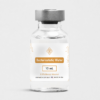
Batch verification
Verify your vial
Enter your vial's batch number (or scan it via NFC) to see its Certificate of Analysis.
Scan your vial’s NFC chip
Hold your phone to the vial and open your batch’s Certificate of Analysis. Pick your system:
-
1
Turn on NFC
Settings → Connections (or Connected devices) → NFC.
-
2
Hold the vial close
With the screen on, rest the back of the phone on the chip.
-
3
See your COA
Tap the notification: your batch’s certificate opens in the browser.
The NFC antenna is usually near the camera; if it doesn’t read, move the vial slowly across that area.
-
1
No apps
On iPhone XS or later the NFC reader is always on.
-
2
Hold the vial close
With the screen on, rest the top edge (the camera) on the chip.
-
3
See your COA
Tap the banner that drops from the top: it opens in Safari.
On iPhone 7, 8 or X you’ll need an NFC reader app (e.g. “NFC Tools”).